Purpose, not just path
Switch to Purpose and the same scan is regrouped by what the data is for, with recognition and an explanation for common apps, developer tools, caches and backups.
 Diskuse Me
Get it on the Mac App Store
Comparison · Mac disk analyzers
GrandPerspective is a long-standing, free and open-source treemap for seeing what fills a disk, and it is very good at that. Diskuse Me answers more of the follow-up questions: what is this data, and what has grown? Here is how the two differ.
A treemap fills a rectangle with one block per file, sized by bytes. Its strength is spotting outliers: a single huge file is impossible to miss. It tells you less about structure, because a folder is a cluster of blocks rather than a labelled step on a path.
Diskuse Me draws columns instead. Each column is one level of the folder hierarchy, and the width of each flow is its size, so you can follow a path from Home to the file and see each step’s share. The trade-off is the reverse: structure is clear, and outliers need the Largest Items list to stand out.
The map isn’t what makes Diskuse Me different, though. The additions are around it:
Switch to Purpose and the same scan is regrouped by what the data is for, with recognition and an explanation for common apps, developer tools, caches and backups.
Diskuse Me keeps scan history per location and highlights Recent Growth against the previous scan. Drill down to the folder that grew.
Nothing in the app can delete, move or modify files. Go to Folder reveals an item in Finder; the decision is yours.
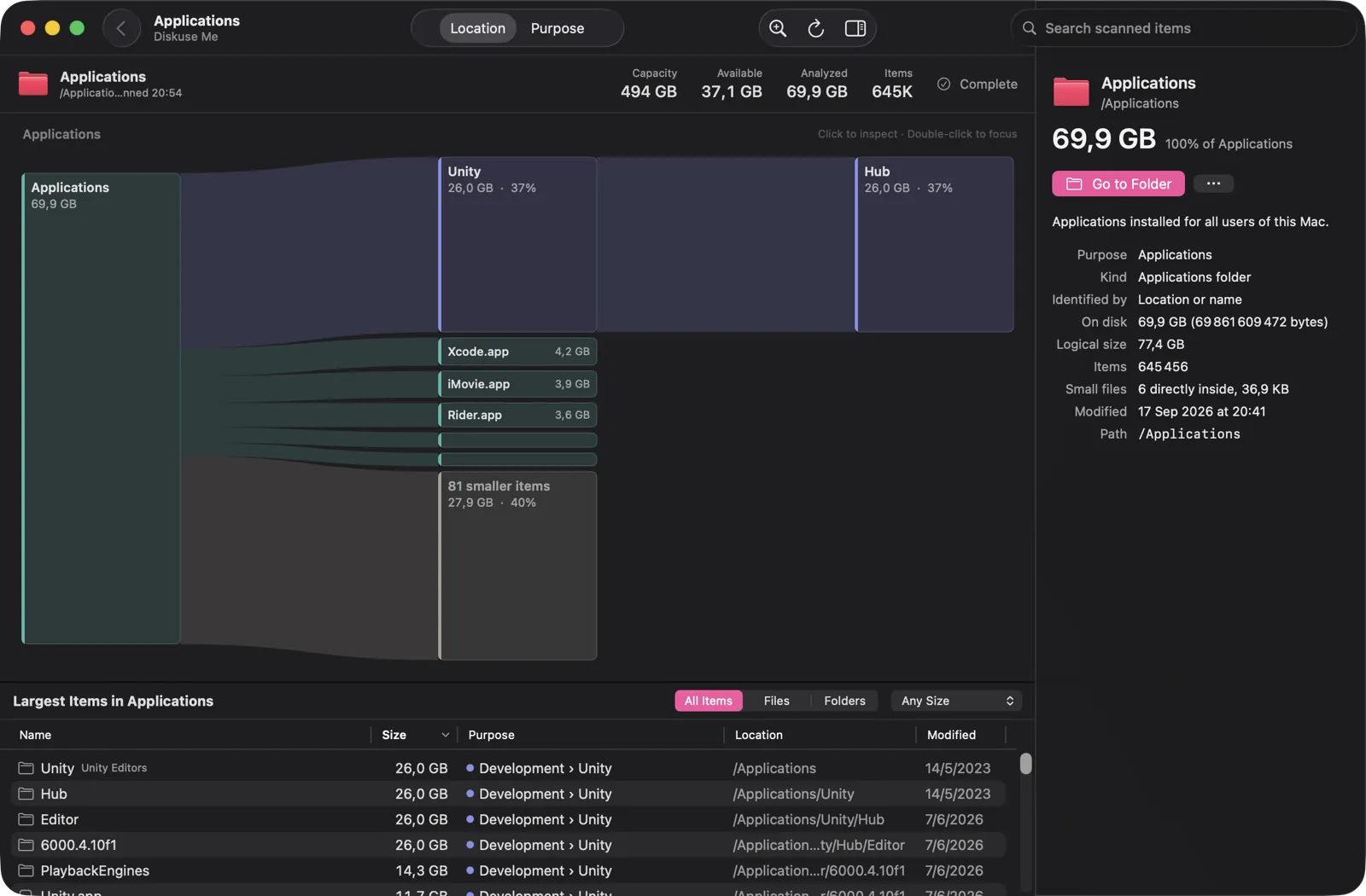
/Applications: the Purpose column labels the Unity editors as Development › Unity.GrandPerspective entries come from its own project page. “Not advertised” means we found no mention there, not that the feature doesn’t exist.
| GrandPerspective | Diskuse Me | |
|---|---|---|
| Main view | Treemap | Flow (Sankey-style) map, with Largest Items list and inspector |
| Filters | Advanced filters on name, path, size, file type, hard-link status and package status; can mask, hide or exclude items | Largest Items filters (files, folders, minimum size) and search by name or recognized app |
| Grouping by purpose | Not advertised | Yes: Purpose view with recognized apps and data |
| Comparing over time | Re-scan to compare before and after clean-up; scan results can be saved and reloaded | Built-in history per location; Recent Growth since the previous scan |
| Export | As image or text | Copy a text summary of the current view, for an AI tool of your choice |
| Deleting from the app | Lists deleting files and folders from the view | No. Read-only; Go to Folder opens Finder |
| Licence and price | Free and open source; also sold on the App Store | Free to download; Diskuse Me+ is an optional one-time In-App Purchase |
| macOS requirement | Latest release: macOS 14 or higher; earlier releases for older systems | macOS 15 or later |
Sources: grandperspectiv.sourceforge.net and Diskuse Me’s Free vs Plus page, checked October 2026.
To see how it handles the basic job, read about what a Mac disk space analyzer should do. If you are also weighing a paid option, there is a DaisyDisk comparison.
A native, read-only analyzer with Location and Purpose views and scan history.
Download on theMac App StoreFree to download · Diskuse Me+ is an optional one-time upgrade · macOS 15 or later