
Free
Menu bar
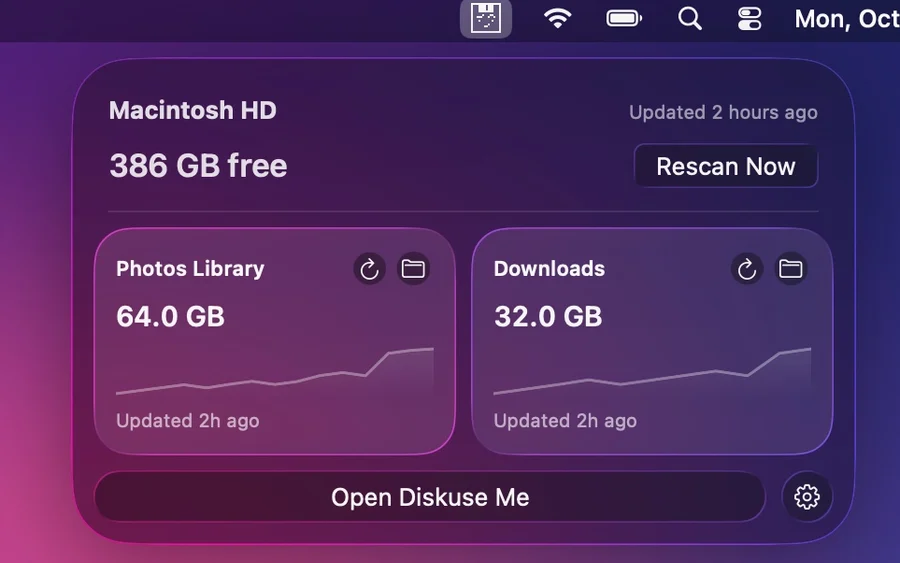
See current free space and tracked items, refresh them manually, or open Diskuse Me — all from the menu bar.
 Diskuse Me
Get it on the Mac App Store
Diskuse Me · disk space analyzer for macOS
Scan a disk or folder, explore storage by location or purpose, compare scans over time, and find what is quietly taking up more space. Read-only and local.
Free to use · Diskuse Me+ is an optional one-time upgrade


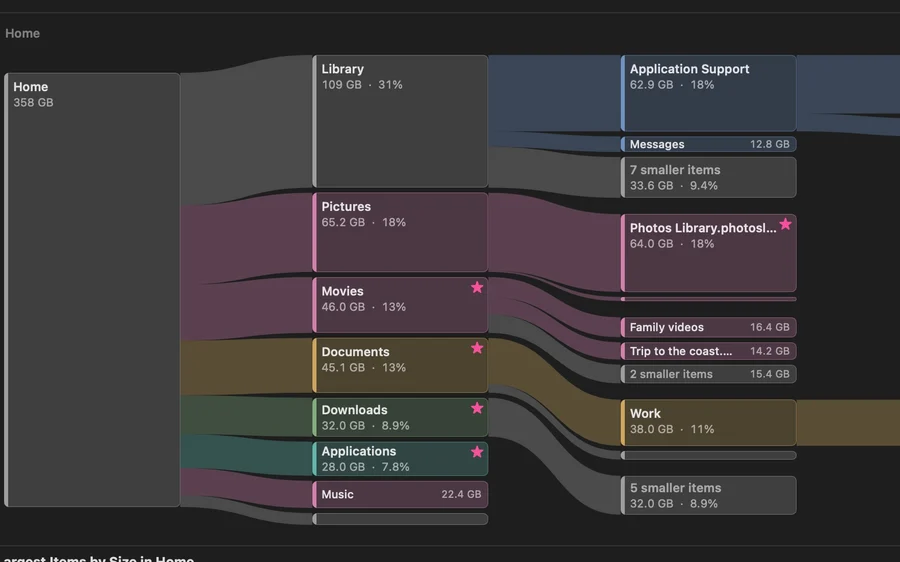
See which folders take the most space and drill down through the hierarchy.
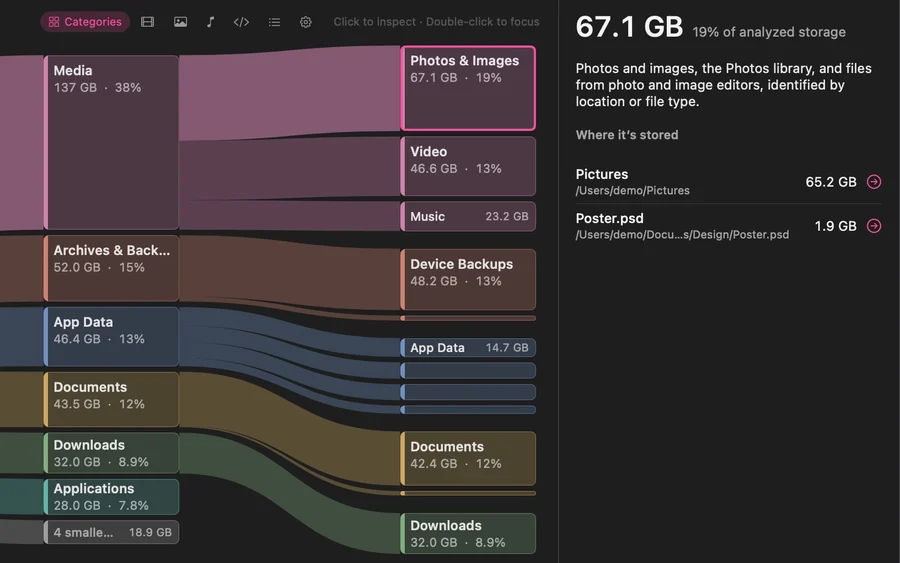
Switch from Location to Purpose. Photos, videos, music, downloads, documents, app data and caches are grouped into clear categories instead of shown only as file paths.
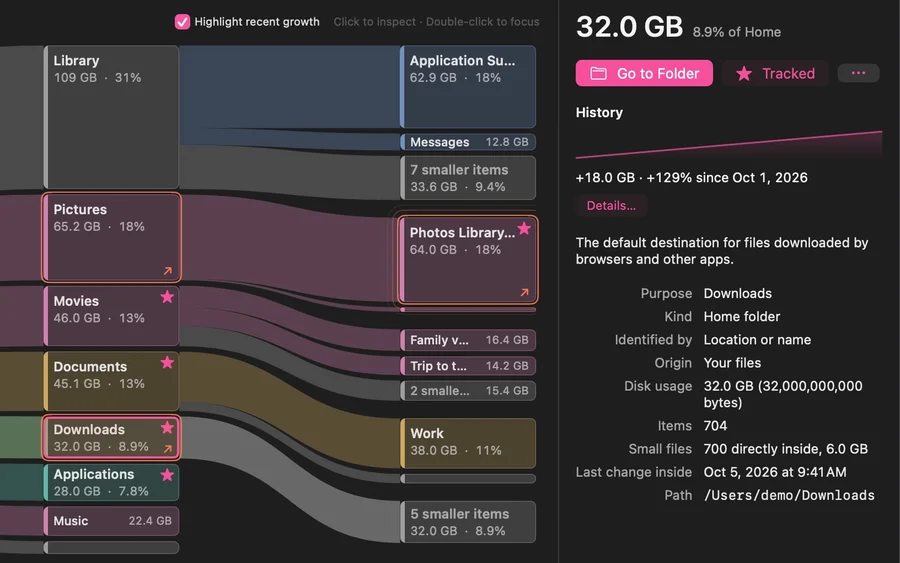
Diskuse Me keeps a history for every location you scan. Compare it with the previous scan, highlight Recent Growth, and drill down to exactly what grew.
Growth & History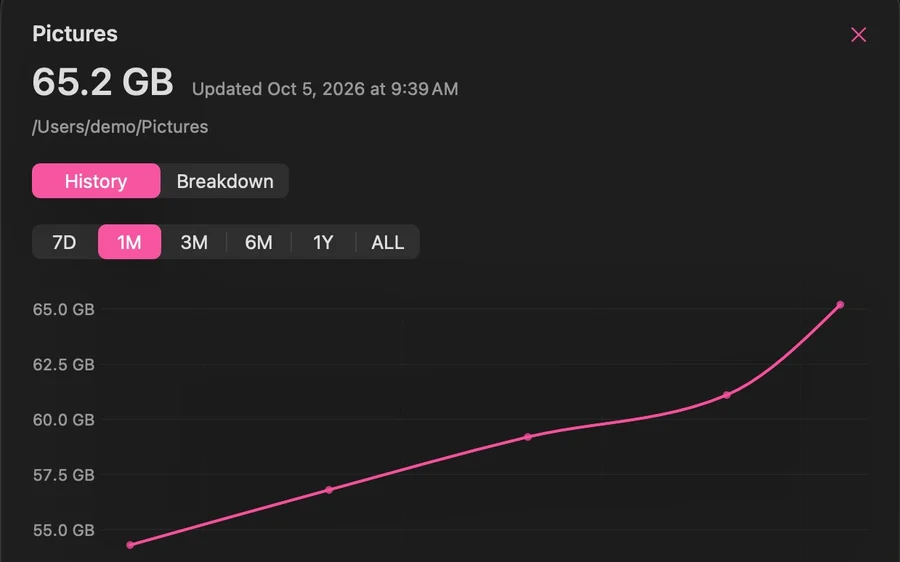
See how a location changes over time. Free keeps the latest 2 successful scans for each location; Diskuse Me+ keeps all successful scans within the history period you choose.
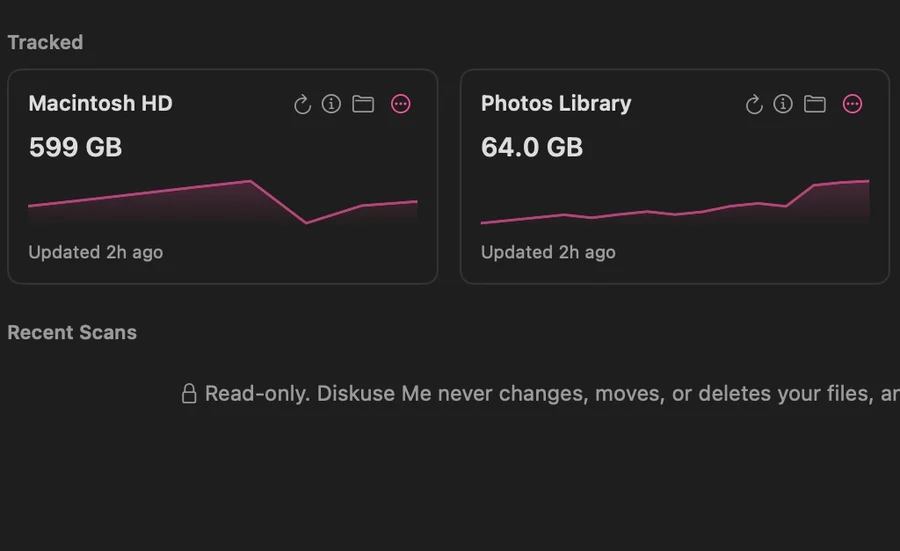
Keep folders and disks on Home and see a sparkline for each one. Free tracks up to 2 items with 30 days of history; Diskuse Me+ tracks up to 32 with longer history.
New in 1.3Check free space and tracked items, refresh, or open Diskuse Me without opening the main window first. Included in Free.
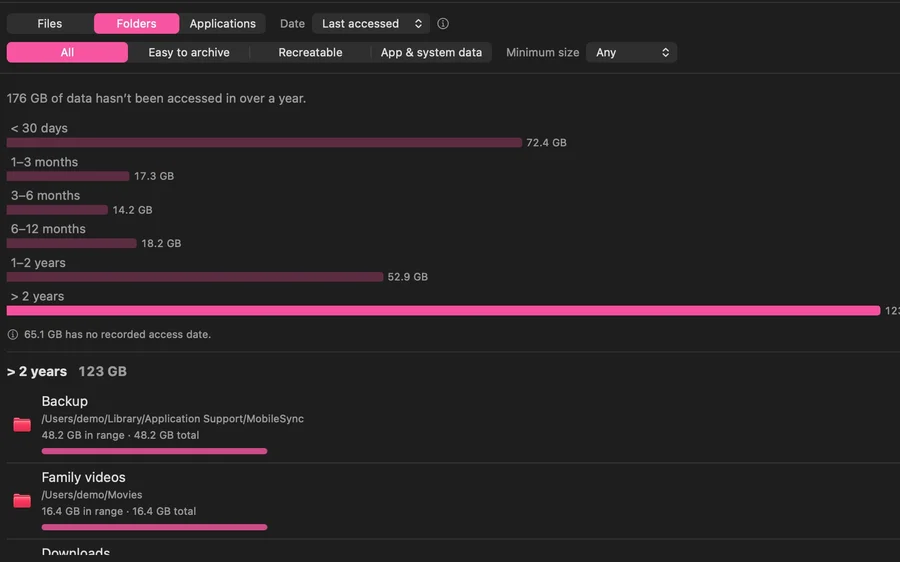 New in 1.3.5
The Time view lists large files, folders and apps by age. Analyze by Last Modified or Last Accessed, filter by size and purpose, and focus on what is easy to archive, recreatable, or managed by apps and macOS. Old doesn’t mean safe to delete — Diskuse Me gives you context, not cleanup commands.
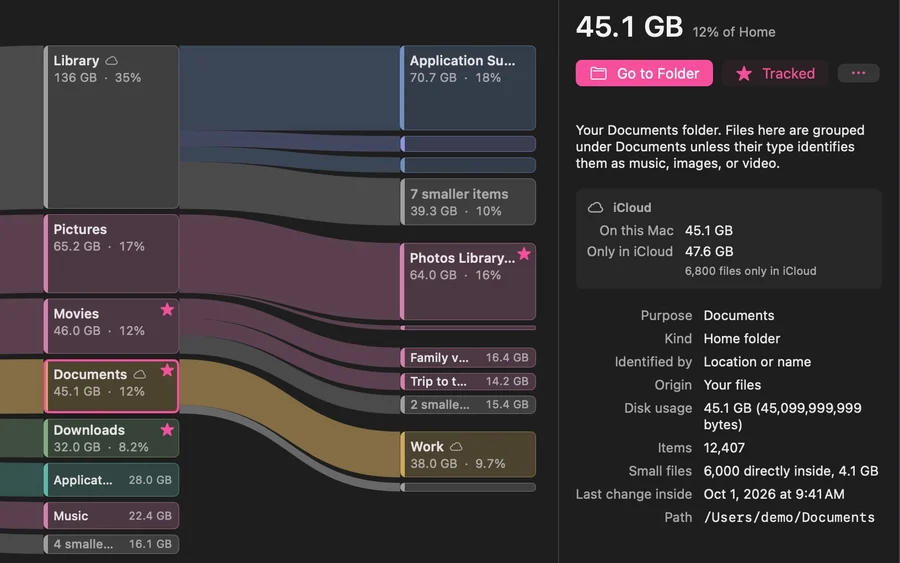 New in 1.3.5
When scanned content is backed by iCloud, Diskuse Me can tell data stored on this Mac from files visible only in iCloud. It does not download those files and does not scan your whole iCloud account.
 New in 1.3.5
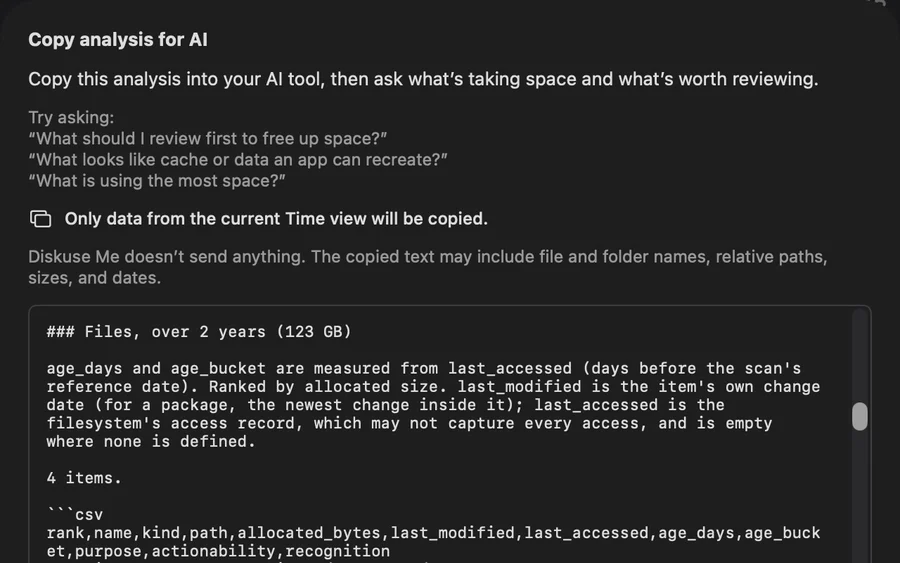
From any analysis view, preview and copy a structured summary for your own AI tool, then ask what is taking space and what is worth reviewing. Diskuse Me itself sends nothing — you decide if and where to paste the copied text.
Recent Growth · Scan History
A large folder tells you where your space is. Growth tells you where it is going.
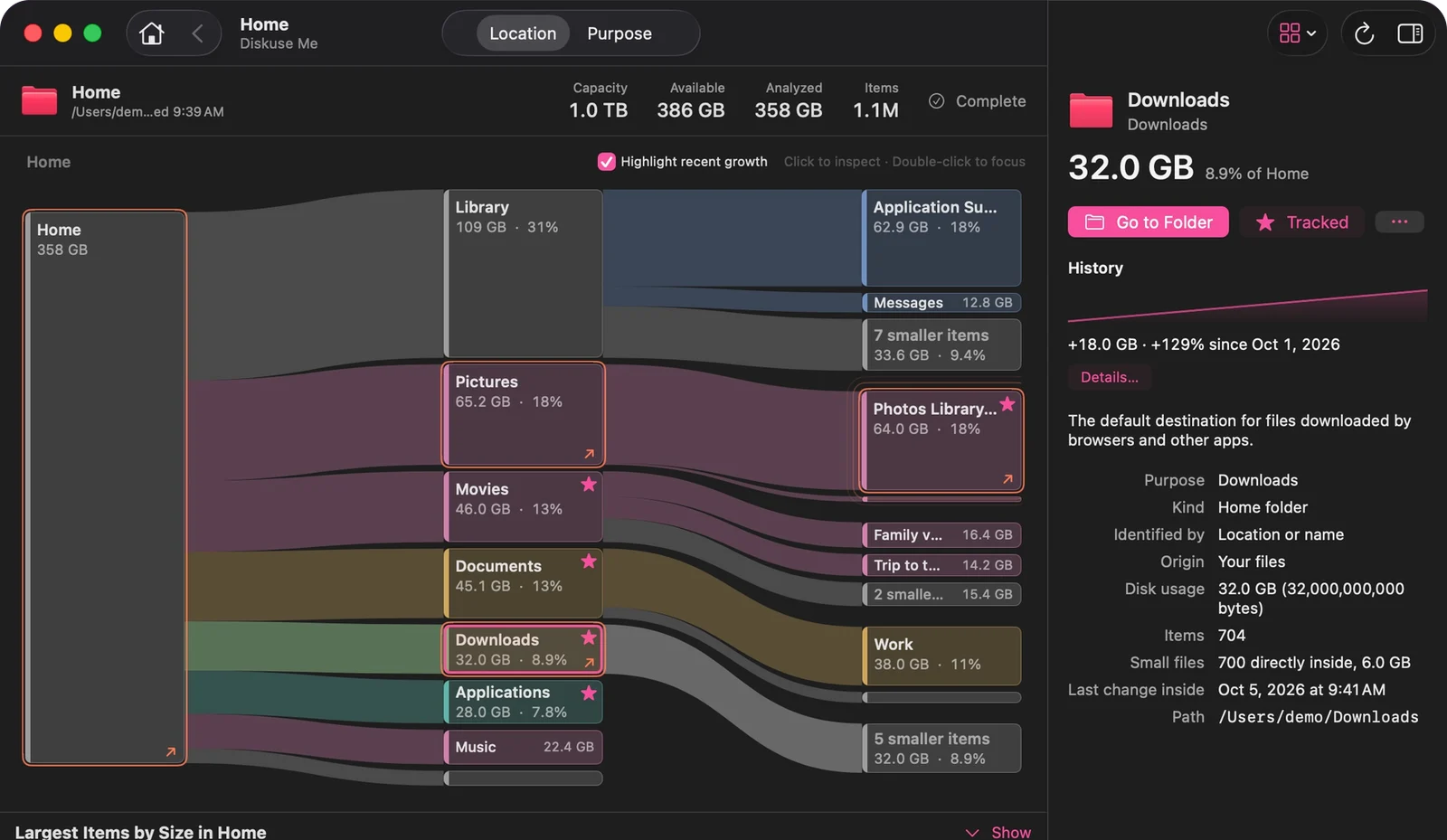
Free compares the current scan with the previous successful scan. Diskuse Me+ adds Recent Growth ranges of 1, 3 and 7 days.
Every scan can tell you what changed. Track the locations you care about to see their trend at a glance.
Explore storage by location, or switch to Purpose to group the same bytes by what they are: photos, videos, music, downloads, documents, app data, caches and more.
Unidentified flying objects? Not on your disk.
Diskuse Me recognizes common folders and data — the Photos library, iPhone backups, Messages, Mail, caches — and explains what they are in plain words. It also recognizes developer data such as Xcode, Docker and Unity. Anything it can’t identify stays under “Other”.
Tracking · Menu bar · Scheduled Refresh
Keep any folder or disk — Downloads, your Photos library, Macintosh HD — on Home. Press ↻ whenever you want a fresh reading, or let Diskuse Me+ refresh it on a schedule.
If macOS blocks access, Diskuse Me records the size as unknown instead of zero.
Free
See current free space and tracked items, refresh them manually, or open Diskuse Me — all from the menu bar.
Diskuse Me+
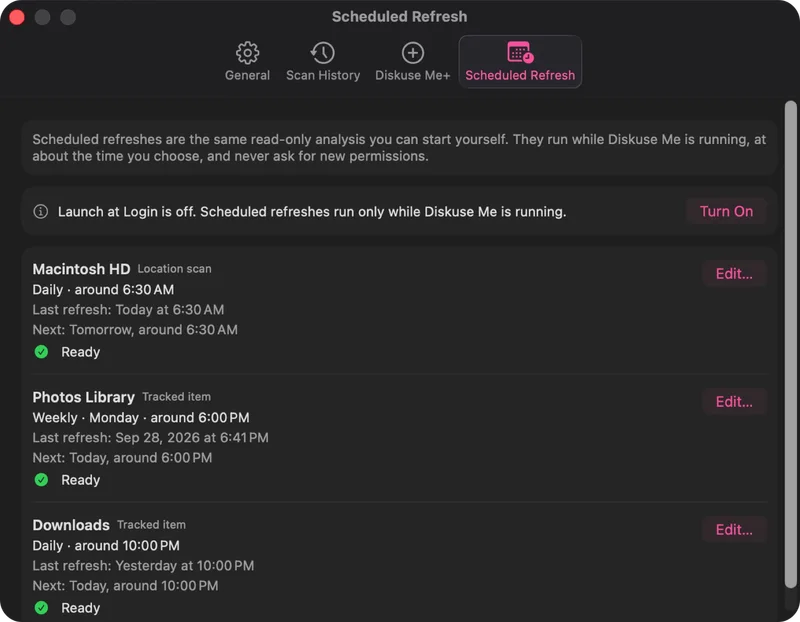
Schedule rescans for around the time you choose. They run while Diskuse Me is open, use only permissions you’ve already granted, and never intentionally trigger new permission prompts. Launch at Login is free and helps keep schedules available after a restart.
Diskuse Me is free to use. Diskuse Me+ is a one-time In-App Purchase for longer history and automatic refresh.
$4.99 one-time In-App PurchaseNot a subscription. The App Store shows the price for your region.
Good tools exist. This is what each one advertises on its official site. Different jobs, different strengths.
| Diskuse Me | DaisyDisk | GrandPerspective |
|---|
Sources: daisydiskapp.com and grandperspectiv.sourceforge.net, checked October 2026. “Not advertised” means we found no mention on the official site, not that it doesn’t exist.
And what keeps growing.
Download on theMac App StoremacOS 15 Sequoia or later · Apple silicon & Intel · 9 languages